

Agentic business operating system
AI staff that do the work, then wait for your go-ahead
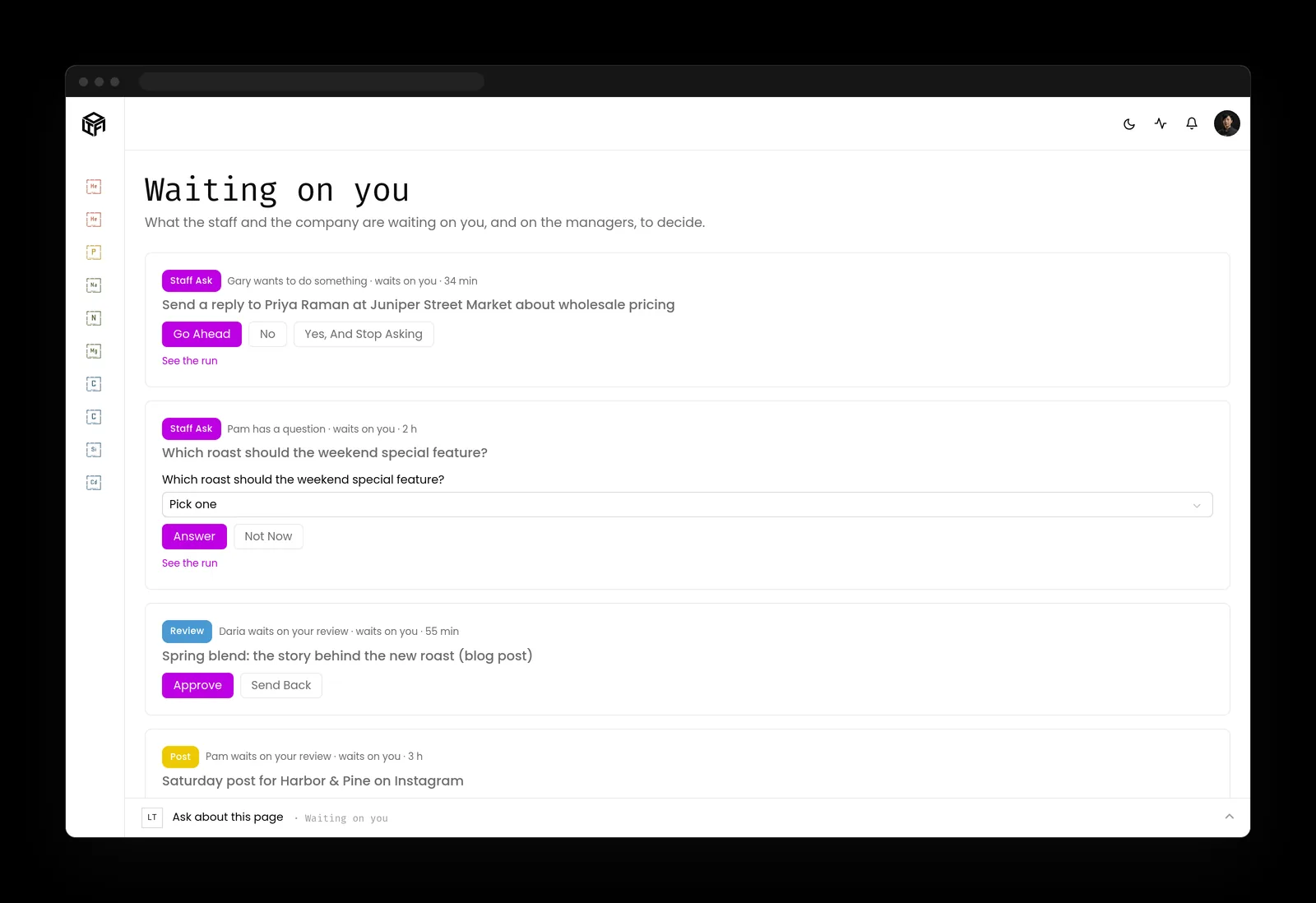
LTFI keeps your customers, projects, posts and website in one place and gives each AI teammate a job. Kief Studio runs it on a server for your company alone. By default, nothing is sent, posted or paid until a person presses Go ahead.
Is it a fit
You run the business. Kief Studio runs the servers.
LTFI fits if
- You lead a team of roughly 5 to 50 people.
- You want AI writing the follow-ups, posts and project updates, and you will never open a terminal to get it.
- You want to be set up properly, heard when something's off, and billed amounts you can predict.
Look elsewhere if
- You enjoy running your own servers and open-source agents. Keep at it.
- You work alone. Get a free website on kiefstud.io now, and come back when you hire.
- You want everything on the base plan and no onboarding. We set it up with you or not at all.
What's inside
Your records together, the upkeep off your plate
Customers, projects, posts and the website
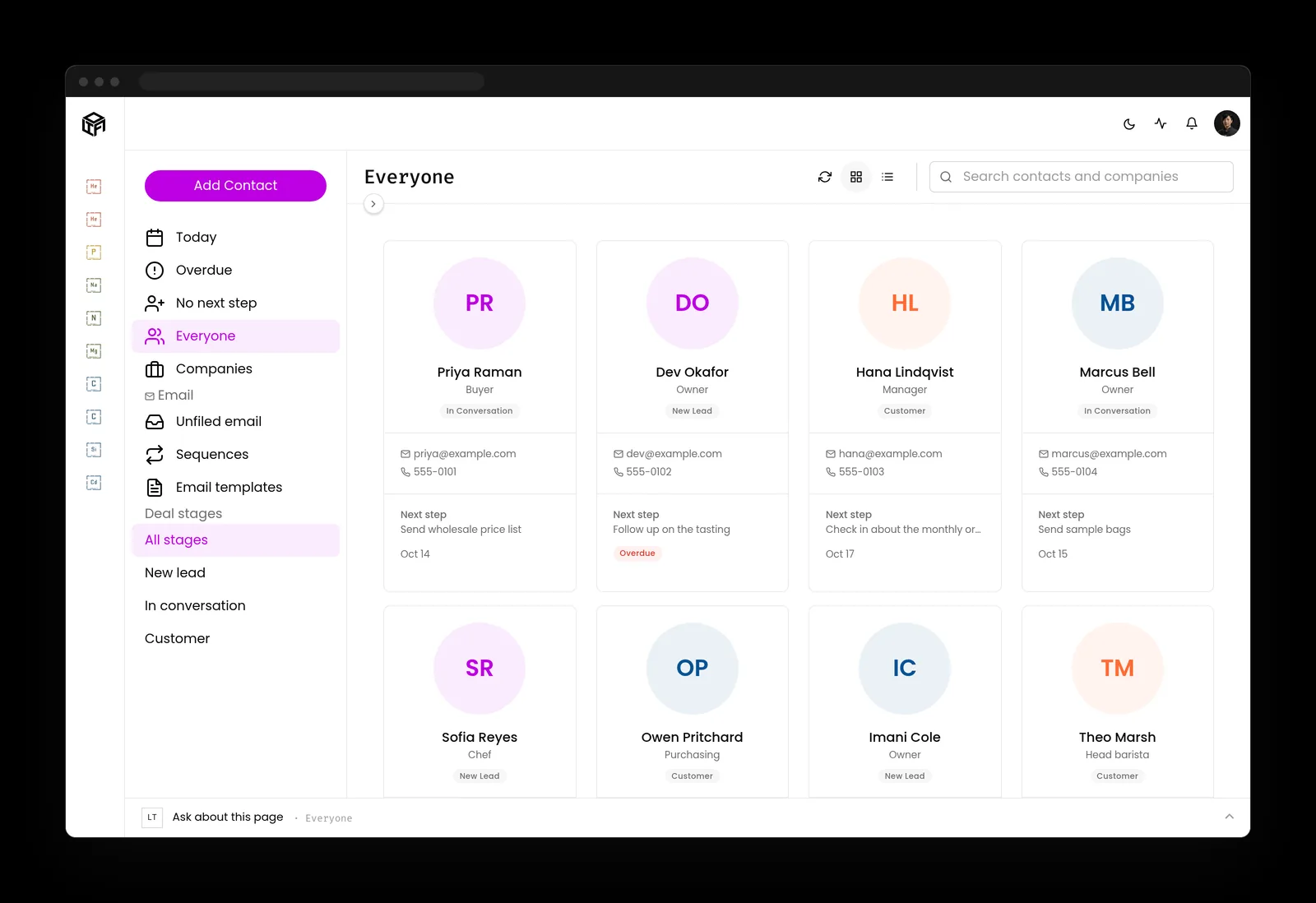
Contacts, projects, articles, social posts, your website and your AI staff share the same records, so nobody pastes a customer's email from one app into another.
- Every contact shows its next step, and overdue ones are flagged
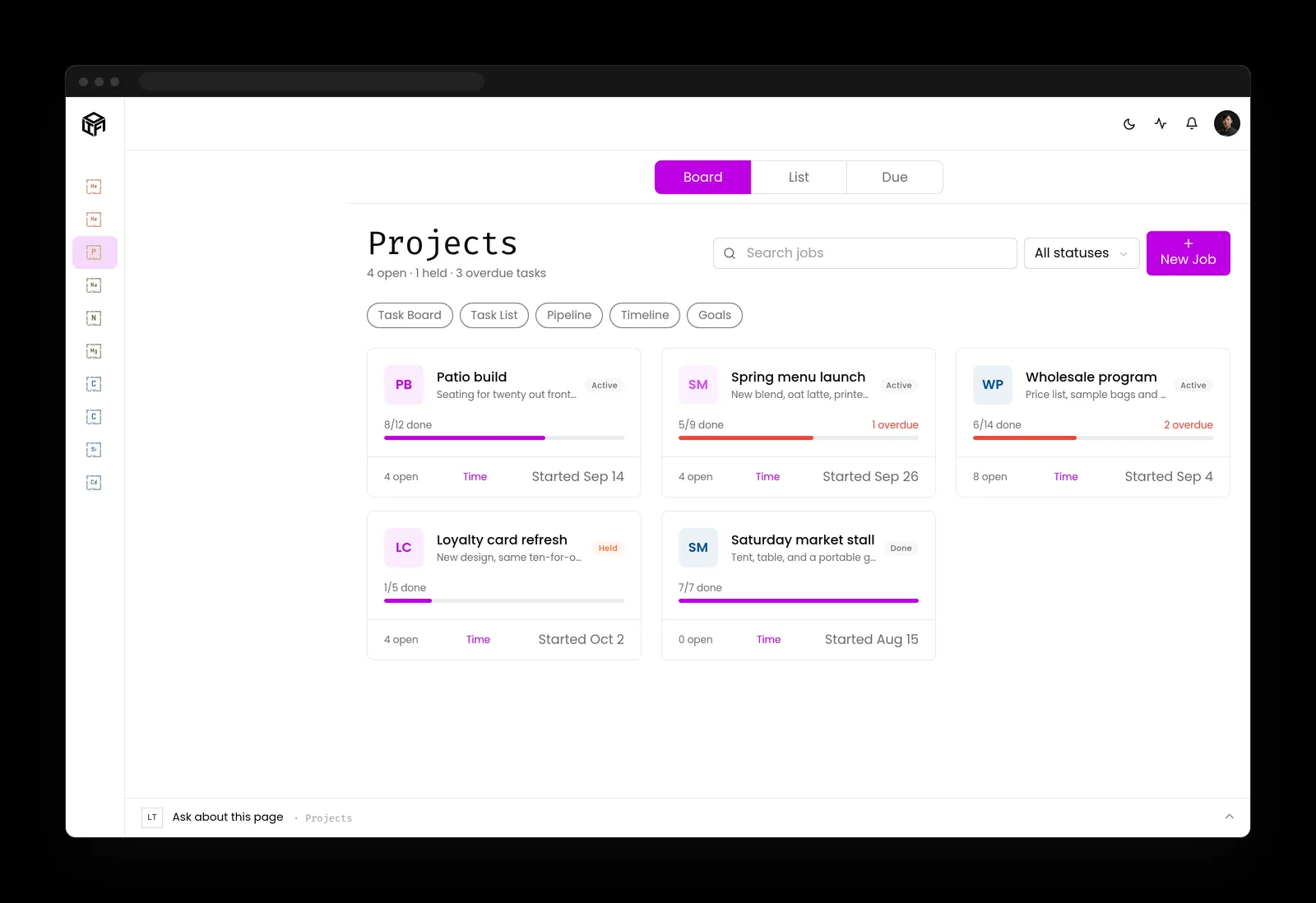
- Every project shows its progress, open tasks and what's late
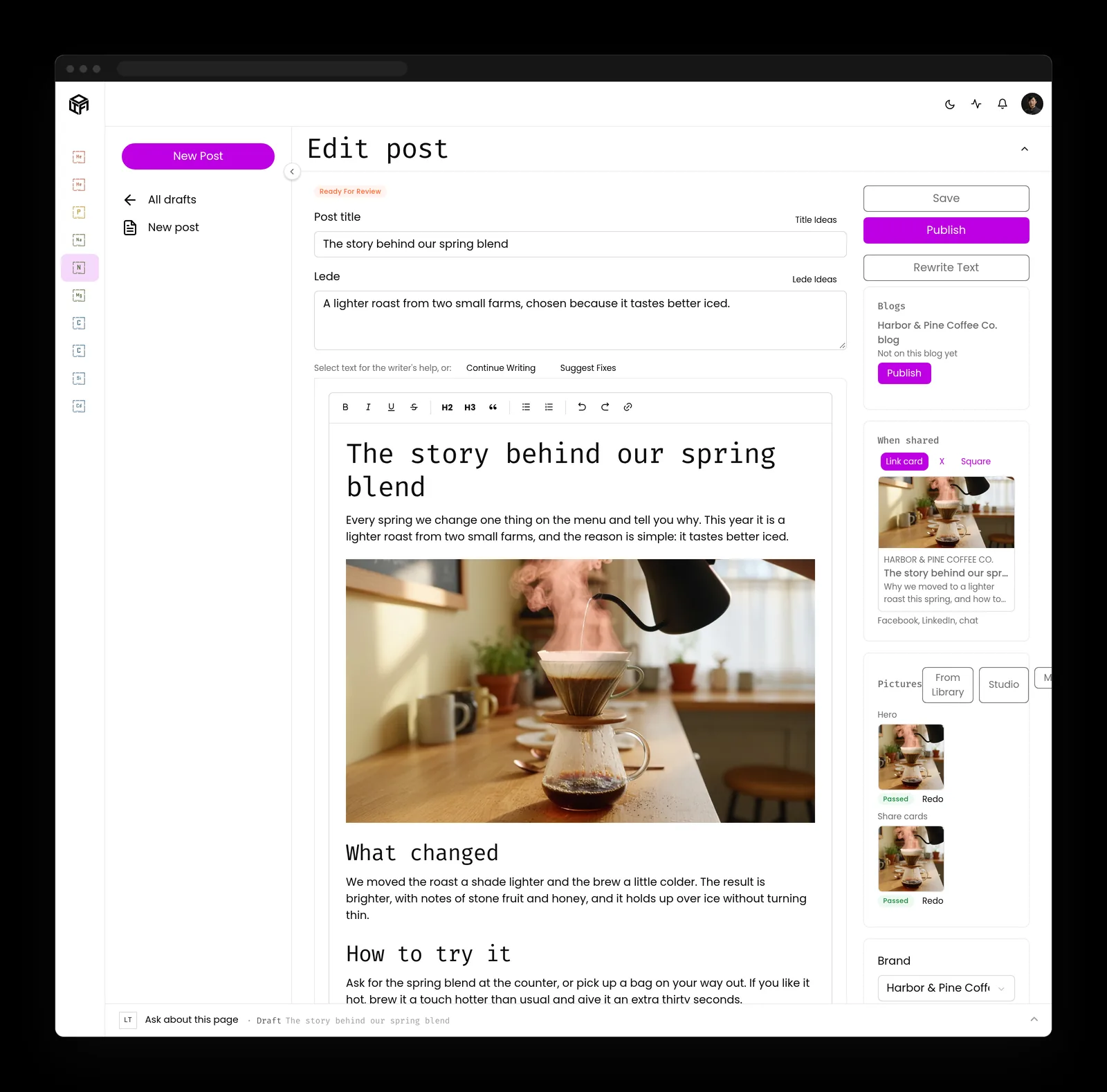
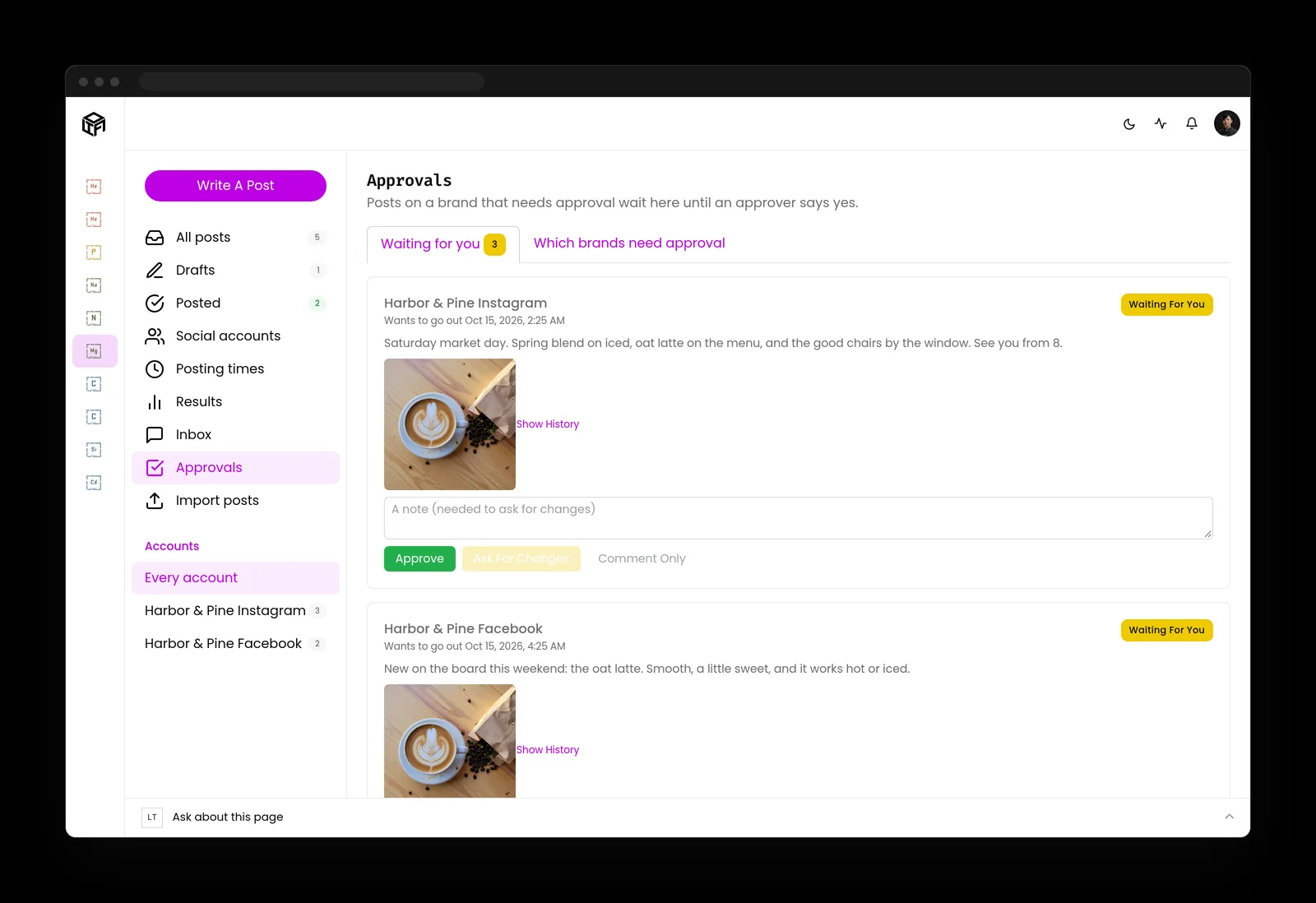
- Articles and posts arrive drafted, with pictures, ready to review
- AI teammates that each own a job, like the social editor
On your own server, run by Kief Studio
We host, secure and update LTFI on a server dedicated to your company. No other business's data is on it.
- A dedicated server, patched and watched by us
- Your own AI accounts, billed to you by the AI company at cost
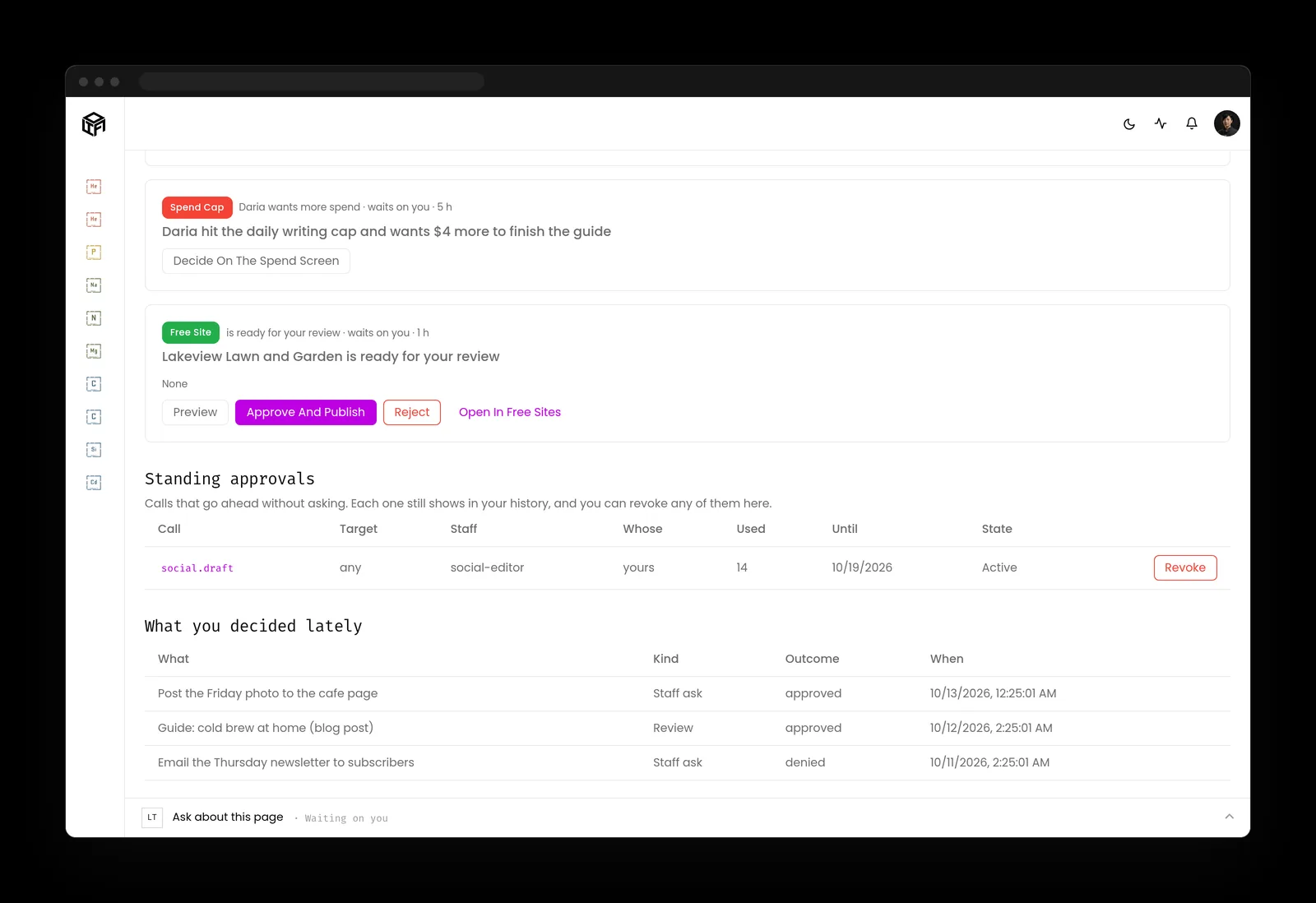
- A Go ahead button on anything that sends, posts or spends
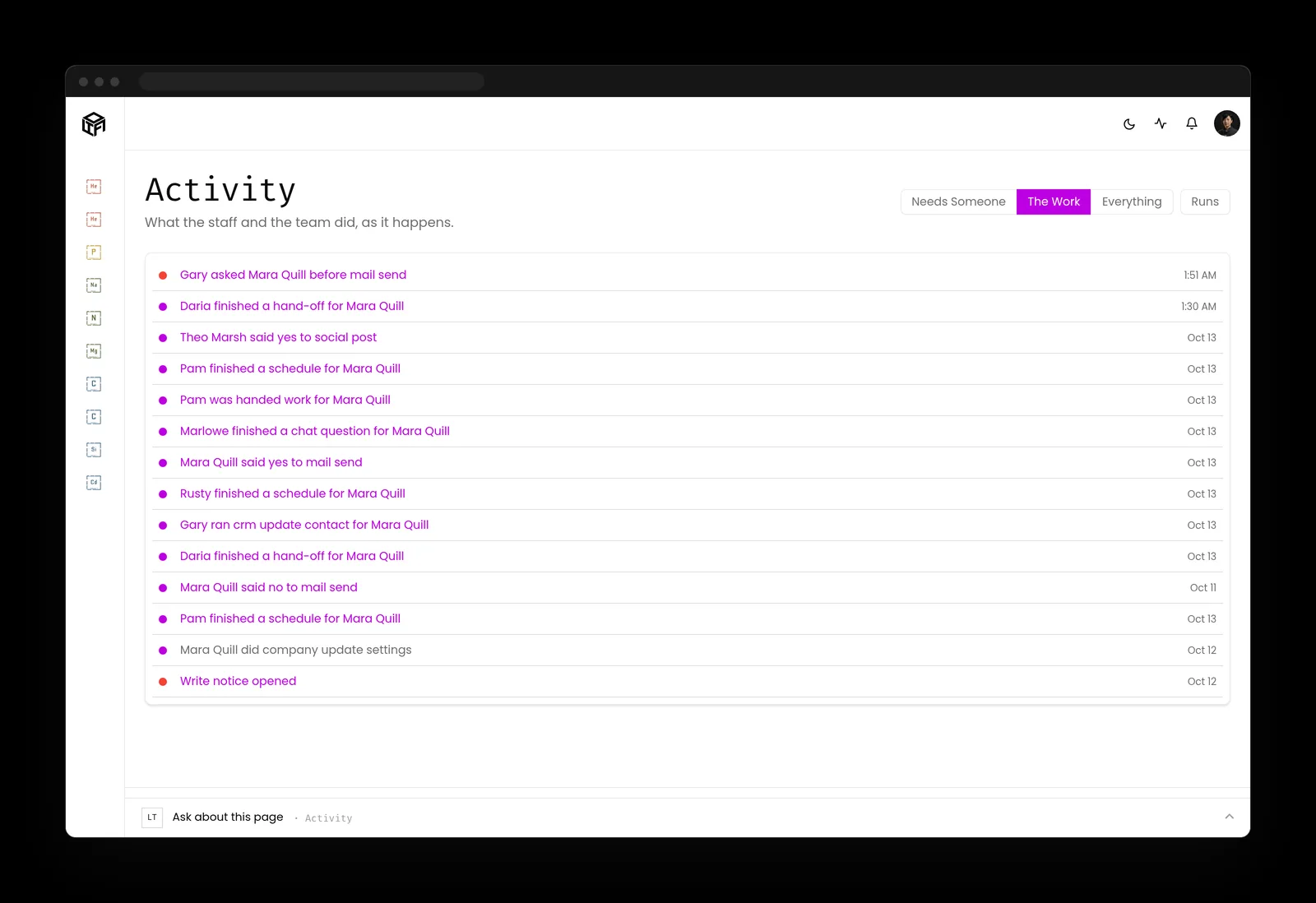
- A log of every action, in plain words
Your week, after
The follow-up goes out. You still sign off.
Follow-ups leave the sticky notes
Every contact carries its next step and every project shows what's late, so the overdue ones are on a screen instead of in your head.
The blog stops going quiet
Articles, social posts and site pages arrive drafted, with pictures and share cards made. You read them, then press Publish or Rewrite.
You talk to one assistant, not a stack of apps
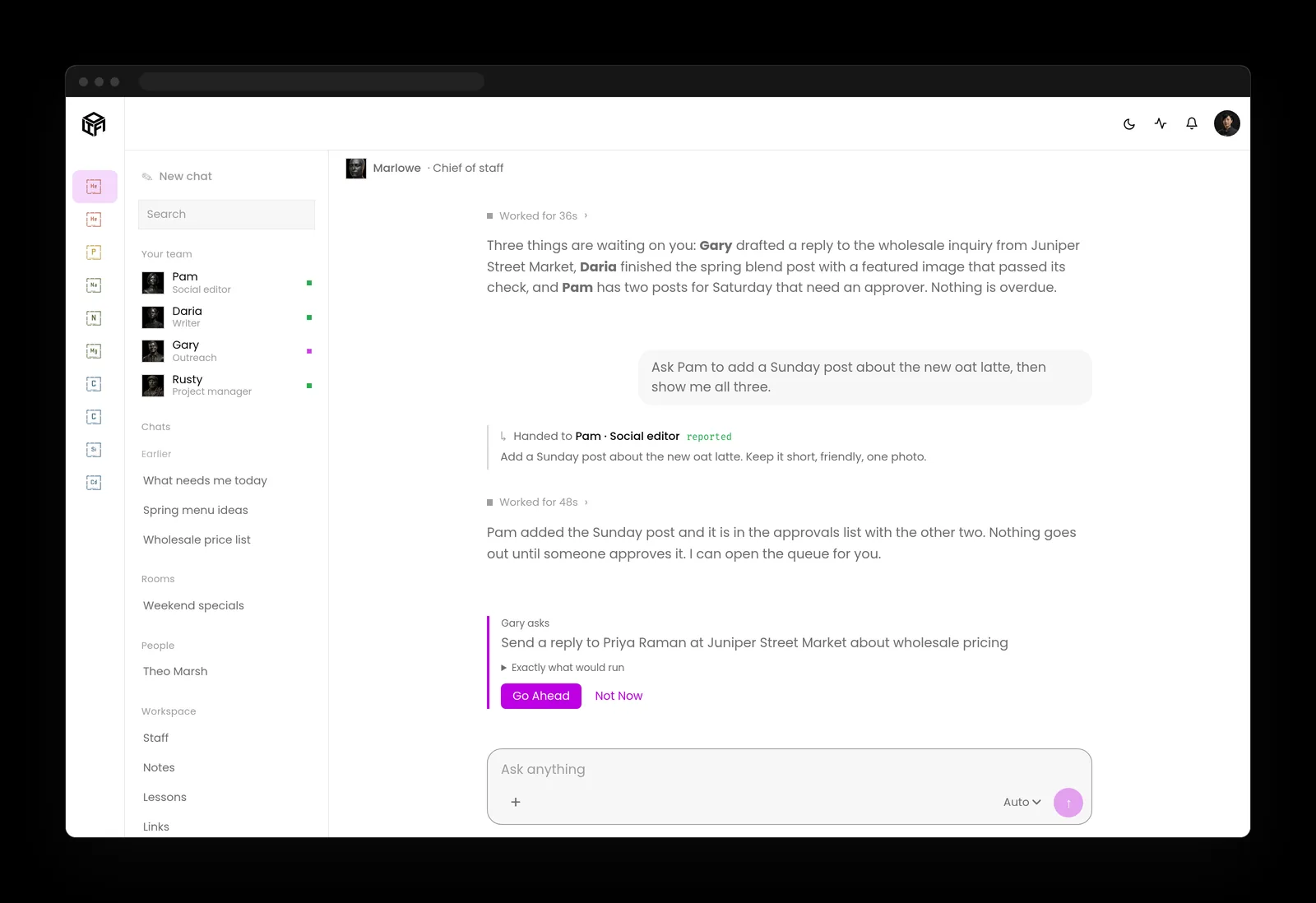
Ask the chief of staff and it hands the job to the right AI teammate. Anything that leaves the building waits for the person who owns it.

What LTFI takes on
The work
Your team, your customers, your site and the writing.
One system covers the seams.

01
Ship
We design and host your site. You never babysit a host.
- Looks like you
- We host it
- We keep it current

02
Harden
The computers stay locked. You never log into a server.
- You never log in
- We patch it
- It stays quiet

03
Watch
Security comes with it. We patch and watch the server we run for you.
- Included
- We watch it
- Someone answers

04
Automate
AI staff draft on a schedule. You keep the voice and the final yes.
- It ships
- It ranks
- It reads like you

05
Coordinate
Your people work in one place. We run the system underneath.
- One place
- Handoffs survive
- We operate it

06
Assess
A free look at the site you have now. Nothing to install.
- Free
- Plain English
- Nothing to install

07
Engage
One studio, not a pile of vendors.
- One system
- One team
- Security included







Kief Studio runs it for you.
See everything LTFI runsFree site check
See what your site shows the world
Type your domain and work email. LTFI checks the security certificate, the headers, search basics, the mail records and the speed, and gives you a plain grade with what to fix first. Nothing to install.
Straight answers
What owners ask on the first call
And what we tell them.
- “I could run a free AI agent myself.”
- You could, and then you're the IT department. With LTFI, we install it, patch it and fix it, and you keep running the business.
- “AI makes mistakes.”
- It does, so LTFI writes drafts, not decisions. Anything that sends, posts, publishes or spends waits for a person to press Go ahead, and every action lands in the log.
- “Is my data safe?”
- Your company gets its own server, which we manage. Your AI runs on your own account with the AI company, under your contract, not ours.
- “Am I locked in?”
- No. Your contacts, files and content are yours. If you leave, we export them for you.
Works with
Connects to the tools you already pay for
Some are built in, some turn on with your own key, and the rest connect through the tool's public API when you need them.
Product tour
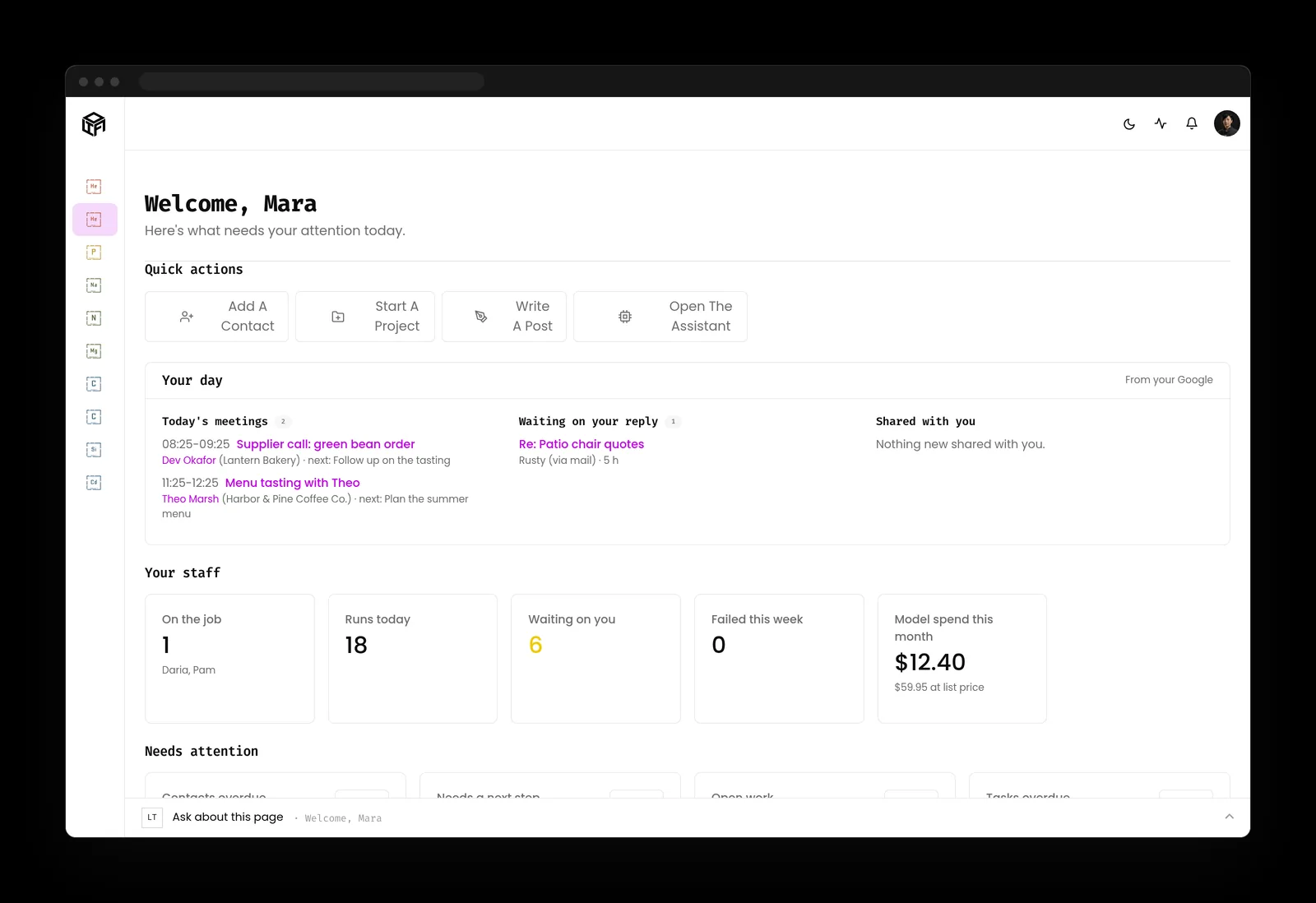
A day at a coffee shop that runs on LTFI
Real LTFI screens. The coffee shop is made up; the buttons are not.
How it starts
Set up with you, not handed to you
It starts with a conversation about how your business really runs. Your AI staff start after that, and nothing goes out without a yes.
We learn how you work
We sit with you and the people who do the work today, and write down how it actually runs.
We set up your server
Your company gets its own server, and your team, records and sites move in.
You add your AI keys
You open accounts with the AI companies you pick and add the keys, with our help. They bill you directly, at cost.
Your AI staff start work
Each teammate picks up its job. Anything that goes out waits for a Go ahead until you say otherwise.


Explained simply
What an agentic business operating system is
One place for the records
The team, the customers, the website and the work share the same records. AI that can see the whole business can help with all of it, instead of one app at a time.
AI staff with real jobs
Each AI teammate owns a job: drafting, research, follow-ups, keeping records current. You talk to the chief of staff, and it hands out the work.
Your rules, and a yes
You decide what needs approval. A post, an email to a client or a payment waits for the person who owns it, and the log records who said yes.
More than a chatbot
A chatbot answers what you type and forgets. An agentic operating system knows your records, acts inside limits you set, and keeps a log of what it did.
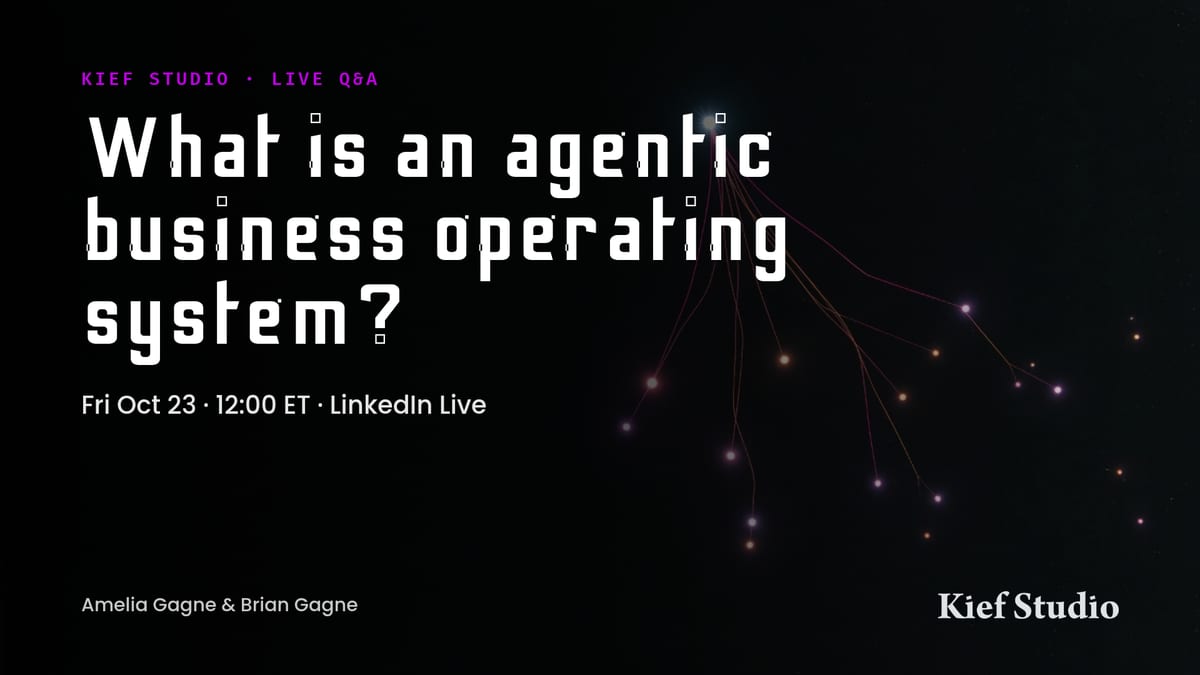 Watch the replay on kief.studio (opens in a new tab)
Webinar replay
What is an agentic business operating system?
Amelia and Brian Gagne answer the questions people ask most, then walk through LTFI on a made-up company.
Questions
What owners ask before they book
What is LTFI?
LTFI is a managed agentic business operating system from Kief Studio. Your CRM, projects, content, website and AI staff share the same records, on a dedicated server we run for your company.
How is it packaged?
The base plan shows every skill and lets your team run any of them by hand. Automation is one flat-rate add-on for schedules, triggers and hands-off runs, never priced per automation. Custom workflows built for your business are the premium tier.
What support comes with it?
Support comes in three levels: included, priority, and a dedicated team. Plans follow server size, brands, seats and support level.
What does it cost?
We go through it on the walkthrough, against the plan that fits your business. Spend caps keep your AI bills where you set them.
Who pays for the AI?
You do, directly. You bring your own keys from the AI companies you choose, and they bill you at cost. Nothing is added on top.
I could run a free AI agent myself. Why pay for this?
You could, and then you're the IT department. We install, secure and update LTFI, and set it up around your business in onboarding.
What if the AI gets something wrong?
It writes drafts, not decisions. Anything that sends, posts, publishes or spends waits for a person to press Go ahead, and every action is in the activity log.
Is my data safe?
Your company has its own server that we manage, and your AI runs under your own contract with the AI company, through your own keys.
Am I locked in?
No. Your contacts, files and content are yours, and if you leave we export them for you.
Do I have to install anything or run a server?
No. Kief Studio hosts, secures and updates it. Your team uses it in the browser, on a phone, and in the AI tools they already use.
Most MSPs are resellers. Kief Studio is the manufacturer.
A reseller sends your problem to the company that made the software. We are that company: we build LTFI and run it, so the people you talk to can change it. Book a walkthrough and see it on your own business.
Latest notes
Notes for owners putting AI to work

White-Label Hosting Is Dead. White-Label Operations Is What Clients Actually Want
White-label hosting resells a server under your brand. Clients pay for the team that owns uptime, patching, backups and renewals, and how to tell which one a provider is really selling you.

The Compliance Assessment That Pays for Itself in One Cyber Insurance Renewal
Cyber insurance got cheaper, but underwriters now check controls. A dated posture report with real evidence turns your cyber insurance renewal into homework you already finished.

Vendor Lock-In: How It Happens and How to Avoid It
Vendor lock-in builds up through ordinary choices. Five questions to ask before you sign, an exit checklist, and how LTFI keeps your data and AI keys yours.