

The short answer
MCP security means controlling what AI agents can do through the Model Context Protocol, the standard that connects them to outside tools. Treat every tool description and result as untrusted, use audience-bound tokens with the narrowest scopes, vet third-party servers like software you install, and make a person approve actions that send, pay or delete.


Published
What is MCP security?
The Model Context Protocol (MCP) is the open standard many AI agent tools use to reach the outside world. An MCP server wraps something useful, like a calendar, a database or a billing system, and offers it to an agent as a set of tools. The agent reads the list, picks a tool and calls it.
Every server you connect brings new code with access to your data, new credentials, and new text that lands in front of a model that can act. MCP security is the set of controls that keeps those three from turning into an incident. I'll go in the order things tend to go wrong: identity, the tool text, where the server came from, and misuse of a perfectly good tool.

MCP authorization: what the spec requires
For remote servers, MCP security starts with the protocol's authorization spec (opens in a new tab), in its July 28, 2026 revision. A protected MCP server acts as an OAuth 2.1 resource server, and the client acts for the person who owns the data. Authorization is optional in the protocol, so a server that can reach your data and doesn't require it fails the evaluation right there.
Tokens bound to one server, and no passthrough
Clients must name the exact server a token is for, and servers must check that every token was issued for them. A token minted for your calendar server is useless at your file server, so a stolen token works only where it was issued. The spec also says MCP servers must not accept or transit any other tokens.
Forwarding a token to a downstream service is what the security best practices (opens in a new tab) call token passthrough. It's forbidden because the MCP server can't tell which client is calling, the downstream logs record the wrong identity, and the downstream service's own controls get bypassed.
Ask for the least, and step up when needed
Clients should request only the scopes an operation needs, following least privilege, and use the spec's step-up flow when a task needs more. The best practices list the usual mistakes: wildcard scopes, publishing every scope up front, and bundling unrelated permissions to avoid a second prompt.

MCP security risks, and the control for each
The best practices page names the attacks. These are the MCP security risks a small business is most likely to meet.
The confused deputy
A server in front of another company's API often uses one fixed client ID for everybody. If it also lets clients register themselves and the other service remembers consent in a cookie, an attacker's link can skip the consent screen and walk off with an authorization code. The control is per-client consent: the MCP server records which clients each person approved and shows its own consent screen first.
Hijacked state handles
A server that remembers something between calls hands back an ID, and if an attacker guesses or steals it, a careless server lets them act on someone else's work. Earlier guidance called this session hijacking. The control: an ID is never proof of identity, it's randomly generated, and the server binds it to the signed-in user.
A malicious sign-in link
In July 2025, NVD published CVE-2025-6514 (opens in a new tab), rated 9.6 out of 10 by the researchers who reported it. An open-source package that connects AI apps to remote MCP servers could be made to run operating system commands by a crafted authorization link from an untrusted server. Clients now must open only http and https sign-in links, and never through a shell.
The confused deputy
The MCP server records which clients each person approved and shows its own consent screen first.
Hijacked state handles
An ID is randomly generated, bound to the signed-in user, and never treated as proof of identity.
A malicious sign-in link
Clients open only http and https sign-in links, and never through a shell.

Tool descriptions are untrusted input
Each tool comes with a description in ordinary language, and that description goes straight into what the model reads. A malicious or compromised server can hide instructions there, like copying an outside address on every email. That's tool poisoning: prompt injection delivered through the tool list.
The tools page (opens in a new tab) of the spec says clients must consider tool annotations untrusted unless they come from trusted servers, and that there should always be a human in the loop with the ability to deny tool invocations. Good MCP security treats descriptions and results the same way, as data the agent reads and weighs, with no authority of its own.
- Pin the tool list when you approve a server, and require a fresh approval when it changes.
- Show the person a tool's inputs before the call, as the spec suggests, so data can't leave quietly.
- Keep sending, paying, deleting and permission changes behind a person's approval.
- Log every call. The spec asks clients to log tool usage for audit purposes.

Local and remote MCP servers
MCP security for local servers
A local server runs on your own machine with every permission of the user who started it. The spec says local servers should take credentials from the environment instead of the OAuth flow, so the key in a config file is the server's whole defense. Before a one-click install, the best practices require clients to show the exact command and get a clear yes. Run local servers in a sandbox.
MCP security for remote servers
A remote server is reached over HTTP, so the OAuth rules above apply, along with ordinary web risks. A malicious server can hand a client discovery links that point at internal addresses or cloud metadata. Clients should require HTTPS and block private address ranges. Neither shape is safer by default: decide server by server, based on what each one can reach.

How to vet a third-party MCP server
OWASP's Top 10 for Agentic Applications (opens in a new tab) lists Agentic Supply Chain Vulnerabilities as ASI04. Its first-quarter 2026 exploit round-up (opens in a new tab) shows why: attackers actively exploited a maximum-severity flaw in an open-source agent builder through its custom MCP configuration. The UK's NCSC advises (opens in a new tab) managing supply chain risk for third-party tools and integrations. For MCP security, run every server you didn't build through these questions.
- Who publishes it, and is the code public? Prefer the company that runs the service it connects to.
- Does it require authorization under the current spec, with bound tokens and narrow scopes?
- Do you need every tool it exposes? Turn off the rest.
- Pin a version, scan the package, and read what changed before you update.
- Can you revoke its access in one place?
- Check it against vulnerability databases, as NIST AI 600-1 asks organizations to do when they buy AI tools.
- Check the publisher. Prefer the company that runs the service the server connects to, with public code.
- Require authorization. Confirm it requires authorization under the current spec, with bound tokens and narrow scopes.
- Turn off spare tools. Switch off every tool it exposes that you don't need.
- Pin and scan. Pin a version, scan the package, and read what changed before you update.
- Revoke in one place. Make sure you can revoke its access in one place.
- Check vulnerability databases. Check it against vulnerability databases, as NIST AI 600-1 asks.

Tool misuse: when the right tool does the wrong thing
Not every MCP security failure involves an attacker. OWASP lists Tool Misuse and Exploitation as ASI02: an agent using a legitimate tool in a harmful way, like a bulk update against the wrong customer list or a reply sent to everyone on a thread.
Among the breached organizations in IBM's Cost of a Data Breach Report 2026 (opens in a new tab), 21% had a security incident involving an AI model or application, and IBM's analysts report (opens in a new tab) that compromised connected applications, APIs or plug-ins were behind 27% of AI-related breaches. MCP servers are exactly that kind of connected application. The controls that answer it are simple: narrow tools, limits on what one call can change, and a person's approval before anything leaves the business.

What we've learned connecting agents to tools
We run Kief Studio on LTFI, with AI staff connected to real tools every day, so MCP security is part of our week.
- An agent can't misuse a tool it doesn't have, so removing tools is the cheapest MCP security control there is.
- Approvals belong on actions: a send, a payment or a deletion waits for a person, whichever agent asked.
- The people side matters as much. My co-founder Amelia covers tools nobody approved in shadow AI.
MCP security and Massachusetts data rules
If a server can reach personal information about Massachusetts residents, 201 CMR 17.03 (opens in a new tab) asks you to take reasonable steps to select service providers that can protect it, and to require that by contract. 201 CMR 17.04 (opens in a new tab) asks you to restrict access to those who need it. A vetted server with narrow scopes and a log shows both. We're in Shrewsbury, and owners across Worcester County ask us about this.
How LTFI handles MCP security
LTFI is the agentic business operating system Kief Studio makes and runs. These MCP security controls ship with it today.
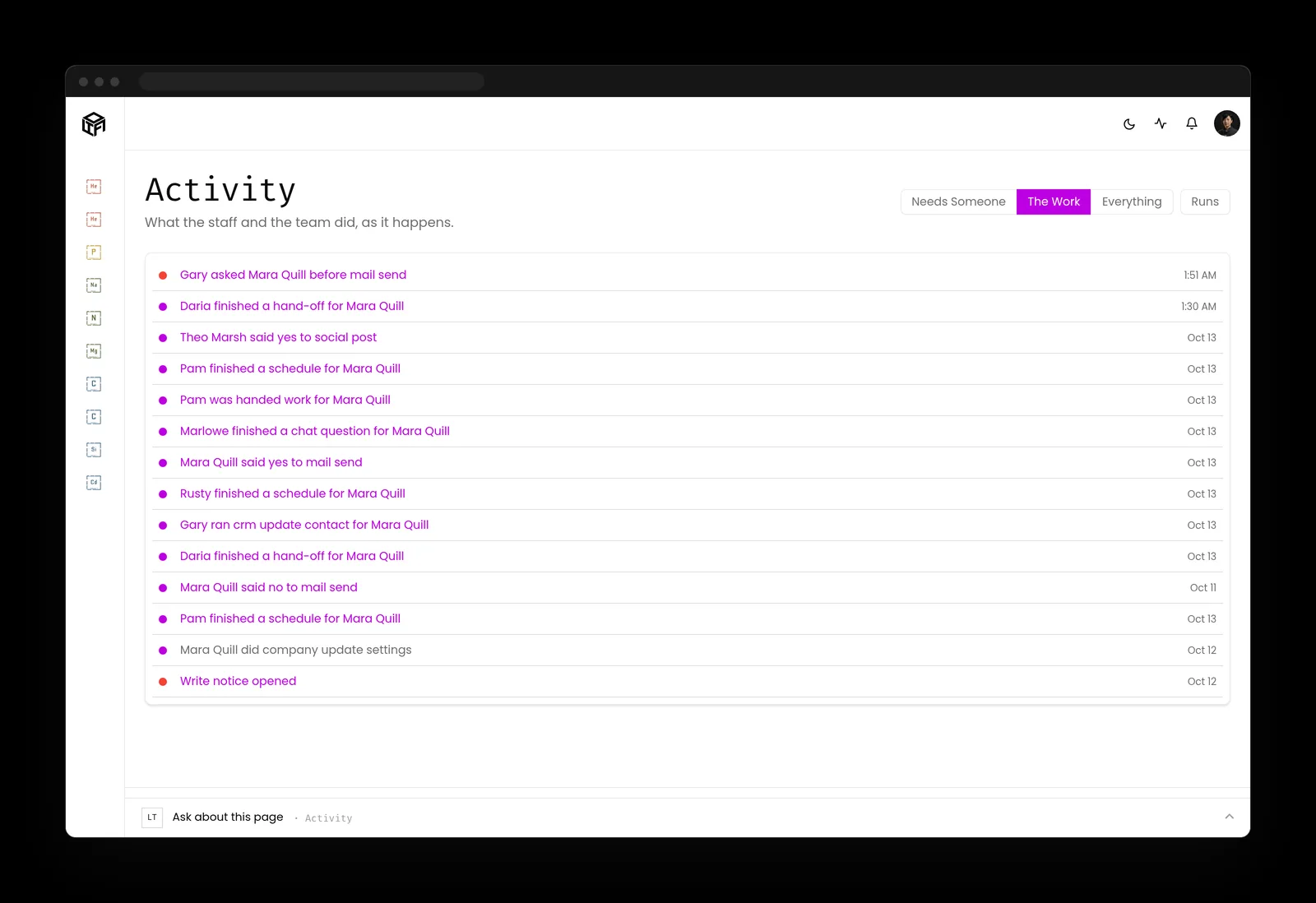
- Anything that sends, posts, publishes or spends waits in one queue for the person who owns it.
- Standing approvals cover one kind of work and can be taken back at any time.
- Rules, permissions, credentials, deleting and money stay with people. An AI teammate can't change them.
- The activity log records every action by the staff and the team, with who approved it.
- New skills are saved as drafts, and AI staff don't use a draft until a person approves it.
What to do about MCP security this month
Two lists: one for the person who owns the business, one for whoever runs its systems.
If you own the business
- Ask for a list of every MCP server or connector your AI tools use, and what each one can reach.
- Remove any server nobody can explain.
- Decide which actions need your yes: sending, paying, deleting and changing permissions.
If you run the systems
- Require OAuth with audience-bound tokens on remote servers, and reject token passthrough.
- Request the narrowest scopes and remove wildcard scopes.
- Pin server versions and tool descriptions, and re-approve on any change.
- Sandbox local servers and keep their keys out of plain config files.
Key takeaways
- MCP security starts with treating every tool description and result as untrusted text.
- For remote servers, the spec does the heavy lifting: OAuth 2.1, tokens bound to one server, no passthrough.
- Vet a third-party server the way you'd vet software you install, because that's what it is.
- Good MCP security puts a person's approval on the actions that can't be undone.
Where this lines up with the standards
The frameworks and rules this page maps to, with the exact item and what it asks of you.
| Framework | Item | What it asks |
|---|---|---|
| OWASP Top 10 for Agentic Applications | ASI01 Agent Goal Hijack; ASI02 Tool Misuse and Exploitation; ASI04 Agentic Supply Chain Vulnerabilities (opens in a new tab) | Contain goal hijack through tool text, limit tool misuse, and vet the supply chain. |
| MCP specification | Authorization, July 28, 2026 revision (opens in a new tab) | Servers accept only tokens issued for them and never pass tokens on. |
| NIST CSF 2.0 | GV.SC-06, GV.SC-07, PR.AA-05 (opens in a new tab) | Vet suppliers first, track their risk, and enforce least privilege. |
| NIST AI 600-1 | GV-6.1-009 (opens in a new tab) | Check AI vendors and tools against incident and vulnerability databases. |
| MITRE ATT&CK | T1528 (opens in a new tab) | Defend the application access tokens clients and servers hold. |
| Massachusetts | 201 CMR 17.03 and 201 CMR 17.04 (opens in a new tab) | Choose capable service providers, require it by contract, and restrict access to need. |