

The short answer
Shadow AI is the AI your team uses without the business knowing or approving it. Most people who use it are trying to save time. Find it by asking without blame, then write a short acceptable use policy and offer an approved tool that's easier than the workaround, with approvals and a log built in.


Published
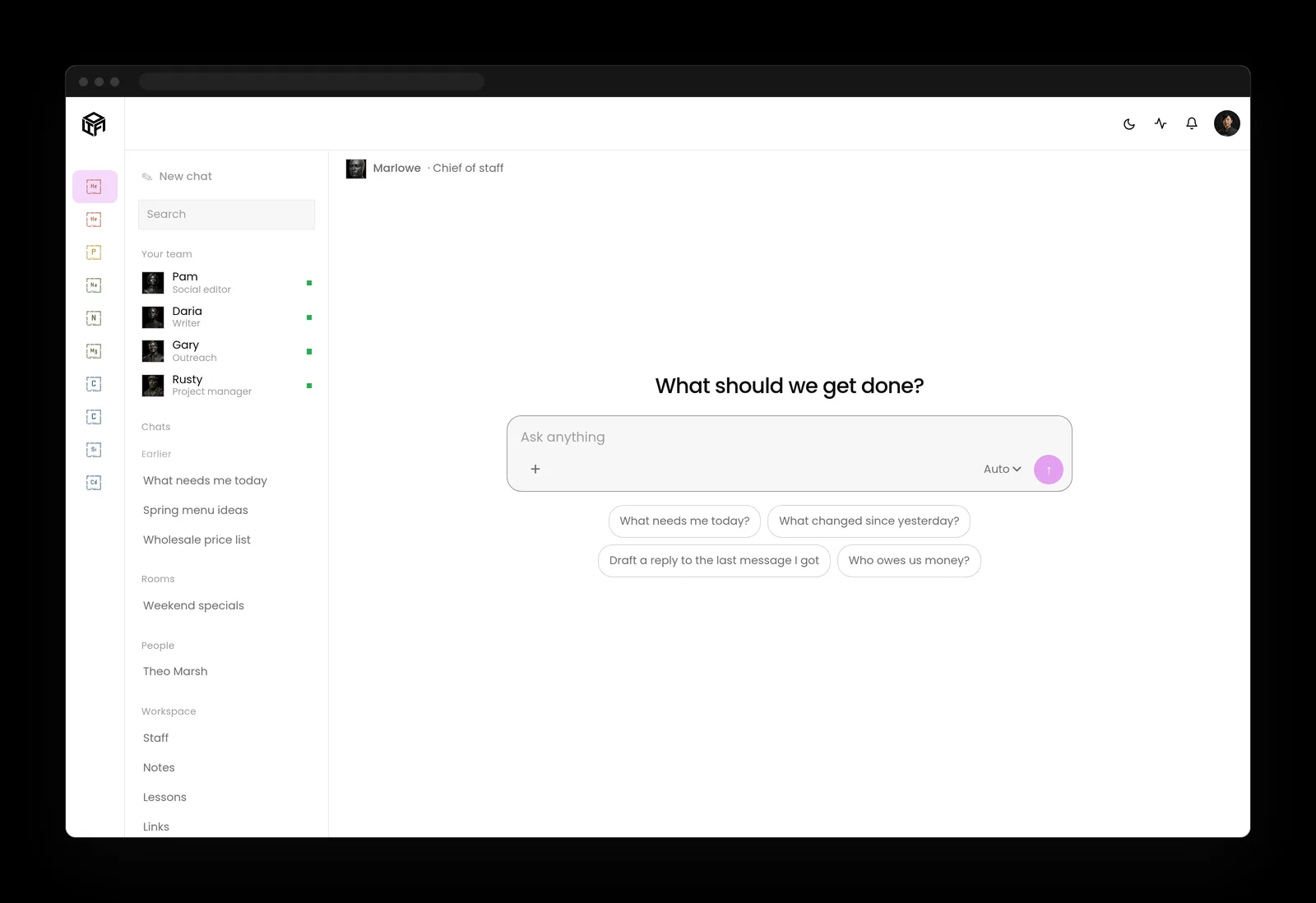
What is shadow AI?
Shadow AI is any AI tool used for company work that the business hasn't approved or doesn't know about. It might be a free chatbot someone pastes customer emails into, a browser extension that reads every page an employee opens, or a meeting recorder that joined the sales call because one person installed it last spring. More and more often, it's an AI agent connected to the company inbox through someone's personal account.
It's a branch of shadow IT, which the UK's NCSC describes (opens in a new tab) as the unknown assets used within an organization for business purposes. Its guidance names AI directly, with the example of unmanaged AI services, such as chatbots, being used with corporate data.
The tools change every month. The pattern behind them stays the same: someone found a faster way to do their job, and the business found out later, or never.

Shadow AI risks, by the numbers
IBM's Cost of a Data Breach Report 2026 (opens in a new tab) gives the clearest picture I've seen. Security incidents involving shadow AI, which IBM also calls unapproved AI use, rose from 20% to 43% of organizations in a year. When those incidents happened, 49% led to data loss or compromise and 42% disrupted operations, and in about one in five the organization reported paying a regulatory fine.
They cost more, too. IBM put the average cost of these breaches at 5.39 million dollars, up from 4.63 million dollars the year before. Most breached organizations still had no AI governance to manage AI or detect shadow AI: 68%, up from 63%.
The controls that do exist are thinning. Requiring IT approval before AI is deployed was the most common governance control, and it was in place at only 38% of organizations, down from 45% the year before. Just 19% said their governance and security teams coordinated that work.

Share of shadow AI incidents is highest in Data loss or compromise at 49%.
| Share of shadow AI incidents | |
|---|---|
| Data loss or compromise | 49 |
| Disrupted operations | 42 |
Why people use unsanctioned AI tools
Before anything else, it helps to understand the behavior, because the fix follows from it. One idea from behavioral psychology carries straight into business: people repeat what's rewarded, and the reward for a shortcut arrives right away.
Here the reward is real time. The St. Louis Fed's generative AI adoption tracker (opens in a new tab) found that 39.2% of employed adults used generative AI for work in the past week by the second quarter of 2026, up from 28.2% in the third quarter of 2024, and the share of work hours saved grew from 1.6% to 2.2%. Someone who gets an hour back on Tuesday is going to look for that hour again on Wednesday.
The NCSC says the same thing from the security side. Shadow IT is rarely the result of malicious intent, and it usually comes from people struggling to get their job done with the tools they were given. That makes shadow AI useful information. It shows you where the approved tools are too slow, too limited or missing altogether.
Why blame makes it worse
Blame tends to hide the use without stopping it. The NCSC warns that if you blame or punish staff, their peers will be reluctant to tell you, and it recommends a positive, no-blame approach. A team that's afraid to admit using a tool keeps using it and stops mentioning it, which is the worst version of the problem.

Employed adults is highest in Second quarter of 2026 at 39.2%.
| Employed adults | |
|---|---|
| Third quarter of 2024 | 28.2 |
| Second quarter of 2026 | 39.2 |
How to find shadow AI without spying
Finding shadow AI starts with a conversation, then a few checks that look at company systems instead of at people.
Ask first, and make it safe to answer
Send the whole team a short, friendly question: which AI tools do you use for work, what do you use them for, and how much time do they save you? Say up front that nobody is in trouble and that the answers will decide which tools the company pays for. In my experience, people answer generously once they believe it.
Check the systems the company owns
Your email and file platforms keep a list of the outside apps people have connected with their work accounts, along with what each one can read. Review that list. Expense reports and card statements show AI subscriptions. The NCSC points to asset management as the base for finding shadow IT, and NIST's Cybersecurity Framework 2.0 (opens in a new tab) asks for inventories of software, services and systems (ID.AM-02) and of services provided by suppliers (ID.AM-04).
Keep an AI inventory
Write down every AI tool in use, who owns it, what data it touches and whether it's approved. NIST's AI Risk Management Framework asks for this (opens in a new tab) in GOVERN 1.6: mechanisms to inventory AI systems. Its generative AI profile, NIST AI 600-1 (opens in a new tab), goes further in GV-6.1-007, which asks you to inventory the third parties with access to your content and keep approved lists of AI tools and providers.
Where shadow AI checks should stop
Reading people's screens or private messages to catch AI use costs more trust than it could ever save. Looking at what connects to company accounts and what the company pays for answers the same question, and it keeps the conversation about tools and away from individuals.
- Ask first. Ask the whole team which AI tools they use, what for and how much time they save, and say nobody is in trouble.
- Check company systems. Review the outside apps connected to work accounts, plus AI subscriptions on expense reports and card statements.
- Keep an inventory. Write down every AI tool in use, who owns it, what data it touches and whether it's approved.
- Stop at screens. Leave people's screens and private messages alone, and look at what connects to company accounts instead.

An AI acceptable use policy people actually follow
Most policies written to stop shadow AI fail for the same reasons most rules do: they're long, they're vague, and they read as a list of things you can't do. People skim them once and go back to what works. A policy people follow is short, specific about data, and comes with a tool.
- Name the approved tools, and say how to ask for a new one and how quickly you'll answer.
- Sort data into what can go into any approved AI tool, what can only go into specific ones, and what never goes in: customer personal information, passwords and keys, and health or financial records.
- Say which actions need a person: anything an AI sends, posts, publishes, pays or deletes.
- Explain each rule in a sentence. People keep rules they understand.
- Review it every quarter, because the tools change that fast.
Don't forget contractors
NIST AI 600-1 asks organizations to update acceptable use policies for generative AI to cover proprietary and open-source tools, and contractors, consultants and other third-party staff (GV-6.1-010). Small businesses tend to forget that last group. If your bookkeeper runs your files through an AI tool, that tool sees your books too.
- Name approved tools. Name the approved tools, and say how to ask for a new one and how quickly you'll answer.
- Sort the data. Say what data can go into any approved tool, what can only go into specific ones, and what never goes in.
- Mark actions for people. Say that anything an AI sends, posts, publishes, pays or deletes needs a person.
- Explain each rule. Explain each rule in a sentence, because people keep rules they understand.
- Review quarterly. Review the policy every quarter, because the tools change that fast.

Give people an approved AI tool that's easier than the workaround
A ban without an alternative moves shadow AI somewhere you can't see it. An IBM data architect writes (opens in a new tab) that AI usage monitoring and a sanctioned-tools policy should usually be the first thing a security team turns on, and that most organizations can stand them up in weeks.
Easier is the requirement that matters most. If the approved tool takes three sign-ins and a ticket, people will keep using the free one. It has to start as fast, work where people already work, and do the job they were using the shortcut for. Then it adds what the free tool can't: the company's own data, approval on anything that leaves the building, and a record of what happened.
My co-founder Brian covers the other half of this, the connections AI tools use to reach your systems, in MCP security. An approved tool is only as safe as what it's allowed to connect to.
What a good approved AI tool includes
When you compare options, look for these before you look at features.
- Sign-in with the company account, so access ends when someone leaves.
- Access to the company data people actually need, and nothing more.
- Drafts by default, with a person's approval before anything sends, posts or spends.
- A log of who asked for what and who approved it.
- Keys and contracts in the company's name, so the data stays under terms the business chose.

Shadow AI and Massachusetts law
If your business owns or licenses personal information about Massachusetts residents, shadow AI is a compliance question as well. Under 201 CMR 17.03 (opens in a new tab), your written information security program needs ongoing employee training, security policies for employees, and reasonable steps to select and retain third-party service providers that can protect that information, with the requirement written into the contract. The rule expects service providers to be chosen on purpose and bound by contract, and a free AI tool someone signed up for on their own has been through neither step.
If that tool exposes the information, M.G.L. c. 93H (opens in a new tab) can require you to give notice. We're in Shrewsbury, and this is one of the first things owners around Worcester and Boston ask us about once they start counting their AI tools.

What we've seen in small teams
We help businesses bring AI into their daily work, and we run our own company on LTFI. A few patterns repeat.
- The question that gets honest answers is about time saved. Asking which tools people use sounds like an audit. Asking what saves them time sounds like interest, and it is.
- Most shadow AI is a handful of tools doing a handful of jobs: summarizing, drafting, and notes from meetings. Cover those jobs well and most of it fades.
- People take a policy seriously once a tool comes with it. A policy on its own reads as a list of things they can't do.
- Once an owner can check what the AI did and who approved it, they start giving it bigger jobs.
How LTFI gives shadow AI a better path
LTFI is the agentic business operating system Kief Studio makes and runs. These are the parts that matter for shadow AI, and they ship today.
- Your team uses it in the browser, on a phone, and in the AI tools they already use.
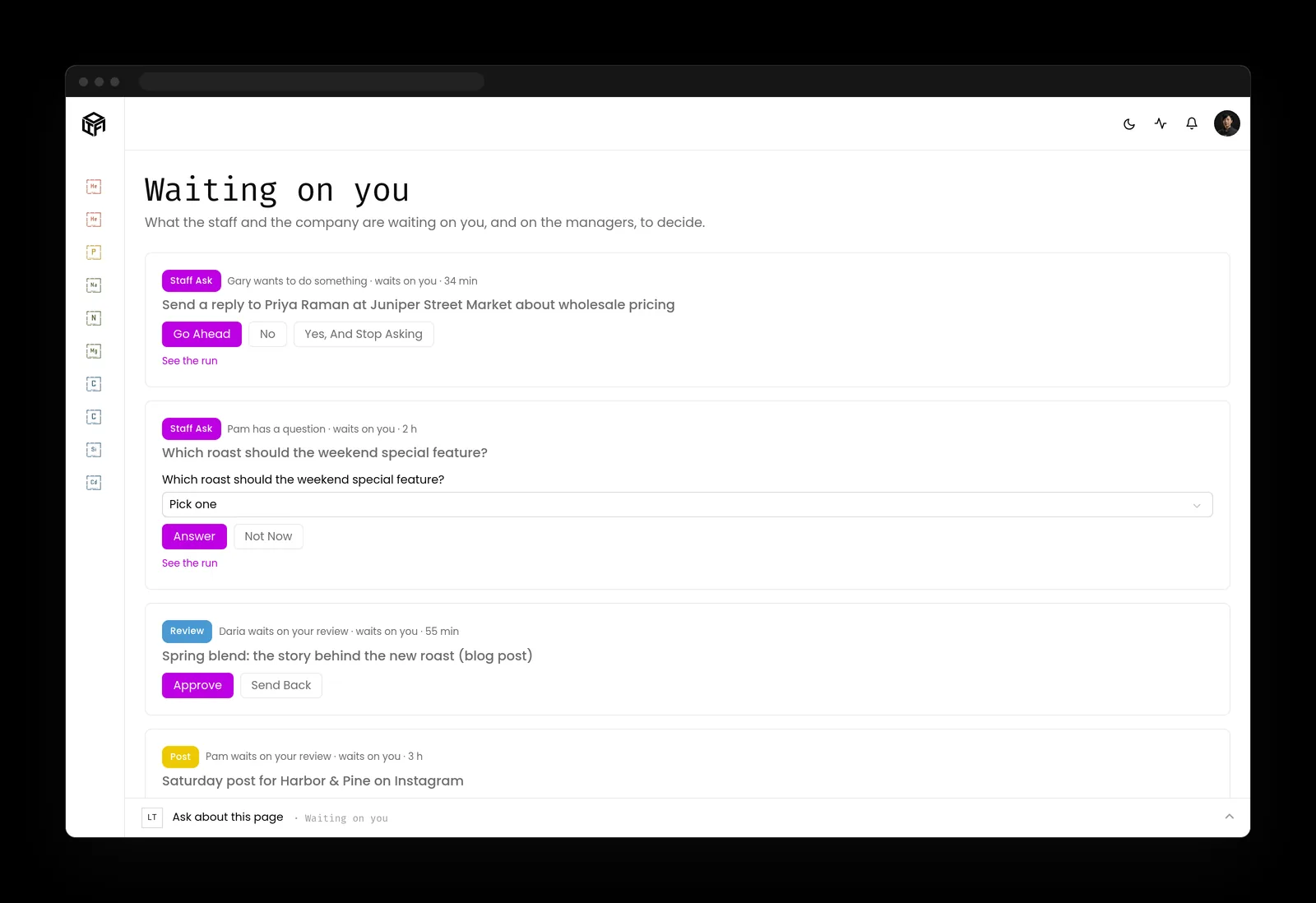
- Anything that sends, posts, publishes or spends waits for the person who owns it, and standing approvals cover routine work you've already okayed.
- Rules, permissions, credentials, deleting and money stay with people.
- The activity log shows every action by the staff and the team, and who approved it.
- Your AI runs on keys you own, under your contract with the AI company, with spend caps you set.
- Each company runs on its own dedicated server, managed, patched and watched by us.
What to do about shadow AI this month
Two lists: one for the person who owns the business, one for whoever runs its systems.
If you own the business
- Ask your team which AI tools save them time, and promise nobody's in trouble for the answer.
- Pick the two or three jobs people use AI for most, and choose one approved tool that does them well.
- Write a one-page AI acceptable use policy: approved tools, data that never goes in, and actions that need a person.
- Check that every contractor who touches your data has an AI policy too.
If you run the systems
- Review the outside apps connected to company email and file accounts, and revoke the ones nobody owns.
- Pull AI subscriptions from expense data and card statements into the AI inventory.
- Require company sign-in for approved AI tools, so access ends at offboarding.
- Log AI actions with the person who approved them, next to your other system logs.
Key takeaways
- Shadow AI is a sign that people found a faster way to work, and it shows where the approved tools fall short.
- In IBM's 2026 research, security incidents involving unapproved AI use rose from 20% to 43% of organizations.
- Find it by asking without blame and by checking company systems, never by watching people.
- A short policy plus an approved tool that's easier than the workaround ends more shadow AI than any ban.
Where this lines up with the standards
The frameworks and rules this page maps to, with the exact item and what it asks of you.
| Framework | Item | What it asks |
|---|---|---|
| NIST AI RMF and NIST AI 600-1 | GOVERN 1.6, GV-6.1-007, GV-6.1-010 (opens in a new tab) | Inventory AI systems, keep approved lists of AI tools and providers, and extend acceptable use policies to contractors. |
| NIST CSF 2.0 | ID.AM-02, ID.AM-04, PR.AT-01 (opens in a new tab) | Keep inventories of software, services and supplier services, and train people to work with cyber risk in mind. |
| UK NCSC guidance | Shadow IT (opens in a new tab) | Take a no-blame approach, use asset management to find unknown tools, and fix the needs that drove people to them. |
| OWASP Top 10 for Agentic Applications | ASI03 Identity and Privilege Abuse (opens in a new tab) | Give approved agents their own narrow identities instead of personal accounts nobody manages. |
| Massachusetts | 201 CMR 17.03 and M.G.L. c. 93H (opens in a new tab) | Train employees, set policies for them, choose service providers that can protect personal information, and be ready to give breach notice. |