

The short answer
Can AI pay invoices for my business? It can, and some bill-pay tools already let AI pay invoices. The safe setup has AI read each invoice, match it to the order and prepare the payment, while a person approves the payee, the amount and any change to vendor bank details before money moves.


Published Last updated
Can AI pay invoices? What it can do today
Yes. Some bill-pay services have started letting AI pay invoices, mostly in pilots so far, and more owners want it. A PYMNTS Intelligence and Velera survey (opens in a new tab) of 2,474 small and mid-size businesses, reported on November 12, 2026, found that 21% wanted AI from their financial institution to pay bills or invoices.
The better question is which part of paying a bill you hand over. Most of accounts payable is reading, checking and lining things up (opens in a new tab), and AI is good at that. The last step, where money leaves your account, is the one a criminal is trying to reach, and it's the one I'd keep with a person.
Where AI pay invoices safely: the work before the payment
Reading an invoice, pulling out the vendor, amount and due date, matching it to a purchase order, spotting a duplicate and scheduling the payment for the right day are all safe to automate. None of them moves money, and a mistake at that stage gets caught when a person looks at the payment.
The same PYMNTS piece describes one pilot where a buyer decides what to pay and the agent carries out that instruction on the supplier's website. In its words, the agent's authority comes from the buyer's approval for that invoice. That's the right shape: the AI does the typing, and a person makes the decision.
What can go wrong when AI pays invoices
Invoice fraud was already one of the costliest crimes against businesses before anyone added AI. The FBI's Internet Crime Report for 2025 (opens in a new tab) counted 24,768 business email compromise complaints and about 3.05 billion dollars in reported losses from them. The FBI defines business email compromise as a scam aimed at businesses or individuals who work with suppliers or regularly pay by wire transfer, carried out by compromising email accounts and other ways of communicating, such as phone numbers and video meetings.
The Association for Financial Professionals (opens in a new tab) found that 76% of organizations experienced attempted or actual payments fraud in 2025, based on responses from 465 corporate professionals. Let AI pay invoices with no person in the way and it inherits every one of those scams, without the uneasy feeling a bookkeeper gets when something looks off.
- A fake invoice for work nobody ordered, which looks real enough to pay.
- An email that appears to come from a real vendor, asking you to send payments to a new bank account from now on.
- An invoice with hidden instructions in it, written for the AI to read and follow.
- The same invoice paid twice, because it arrived once by email and once through a portal.
Fake invoices and changed bank details
The U.S. Postal Inspection Service (opens in a new tab) explains that false invoice scams work because the bills look legitimate and staff pay them without checking, assuming a colleague placed the order. An AI reading hundreds of invoices makes the same assumption faster. The changed bank account request is worse, because it's a real vendor and a real amount, and only the destination is wrong.
Instructions hidden in an invoice
An AI that reads documents can be steered by words planted in them, which security people call prompt injection. NIST's AI standards team reported in January 2025 (opens in a new tab) that new attacks of this kind raised the success rate against an agent from 11% to 81% in its tests. A PDF invoice with a line of hidden text telling the AI to approve it would work the same way.
Too much access in one place
The joint guidance from the cyber agencies of Australia, the United States, Canada, New Zealand and the United Kingdom, Careful adoption of agentic AI services (opens in a new tab), describes a scenario in which a business gives a procurement agent broad access to financial systems, email and contracts and checks those permissions only once. When one low-risk tool connected to that agent is compromised, the attacker can modify contracts and approve payments without triggering alerts.

The line to draw: what AI does alone and what waits for you
The guidance says to prevent agents from autonomously executing high impact actions without prior human approval. Paying a vendor is about as high impact as small-business actions get, because money sent to the wrong account can be hard to get back.
Here is how I'd divide the work when you let AI pay invoices in a business of five to fifty people. The first list can run on its own. The second waits for a named person, every time.
Should AI pay invoices on its own for small, routine bills?
Some owners will want the software subscription or the monthly cleaning bill paid without a tap. If you go there, make the rule narrow: one known vendor, the bank details you already have on file, an amount within a set range, and a person told when it runs. A change to any of those sends it back to the queue.
AI does this on its own
Read invoices, pull out the details, match each one to a purchase order, flag duplicates and odd amounts, and prepare the payment for review.
A person approves this
Releasing any payment, adding a new vendor, changing vendor bank details, and anything over the spending limit you set.

Six habits that stop a fake invoice from getting paid
None of these needs new software. They're the habits careful bookkeepers already use, written so they still hold when you let AI pay invoices.
Why the phone call matters
The FTC's cybersecurity guidance for small businesses (opens in a new tab) says that if you're not sure about a request, call the vendor, colleague or client who sent it, and use a number you know to be correct, not the number in the email or text. The Postal Inspection Service adds a habit that suits AI well: don't rush to pay, and hold payment until all information is verified. An AI can flag the change in seconds. A person still makes the call.
- A person releases every payment. The AI prepares the payment, and payment approval comes from a named person who has seen the payee, the amount, the bank account and the invoice it pays.
- Call before any bank detail change. When a vendor's bank details change, someone calls the vendor on a number you already had, never one from the email that asked for the change.
- Verify new vendors before the first payment. Confirm that a new supplier exists and is who it says it is before anyone pays it.
- Match every invoice to an order. No purchase order or contract means no payment until someone who ordered the work confirms it.
- Keep the bank login with people. The AI never holds the bank password, the card number or the authority to add a payee. People do.
- Read the log every week. Look at what was prepared, approved and declined, and ask about anything you don't recognize.

Who is responsible if AI pays the wrong invoice
When you let AI pay invoices, plan as if any loss is yours to recover. Getting money back after a bad payment usually depends on how fast you report it, so decide who approves payments before one goes wrong.
What helps most after a bad payment is a clear record. If the log shows who approved the payment, what they saw and when, you can tell the bank and your insurer exactly what happened. If an agent paid it on its own, nobody can say why it looked right. Brian, my husband and co-founder, covers how to scope what each agent can reach in AI agent permissions.

Letting AI pay invoices in Massachusetts
Under 201 CMR 17.02 (opens in a new tab), a resident's name together with a financial account number or a credit or debit card number counts as personal information. If you let AI pay invoices and it can see records that pair a Massachusetts resident's name with an account or card number, such as some refunds, reimbursements or saved cards, that data belongs in your written information security program, and the AI vendor counts as a service provider you have to oversee. 201 CMR 17.03 (opens in a new tab) requires you to take reasonable steps to select service providers that can protect that information, and to require them by contract to do so.
Massachusetts takes real losses too. Across all the internet crime the FBI tracks, not only invoice scams, the report puts the state 14th in the country for reported losses in 2025, at about 410.9 million dollars. For what a written program should include, see Massachusetts WISP requirements under 201 CMR 17.00 (opens in a new tab).
How LTFI handles AI and payments
LTFI is the agentic business operating system Kief Studio makes and runs, and its AI staff work under the same line this page draws. The page on AI staff with approvals shows how it works.
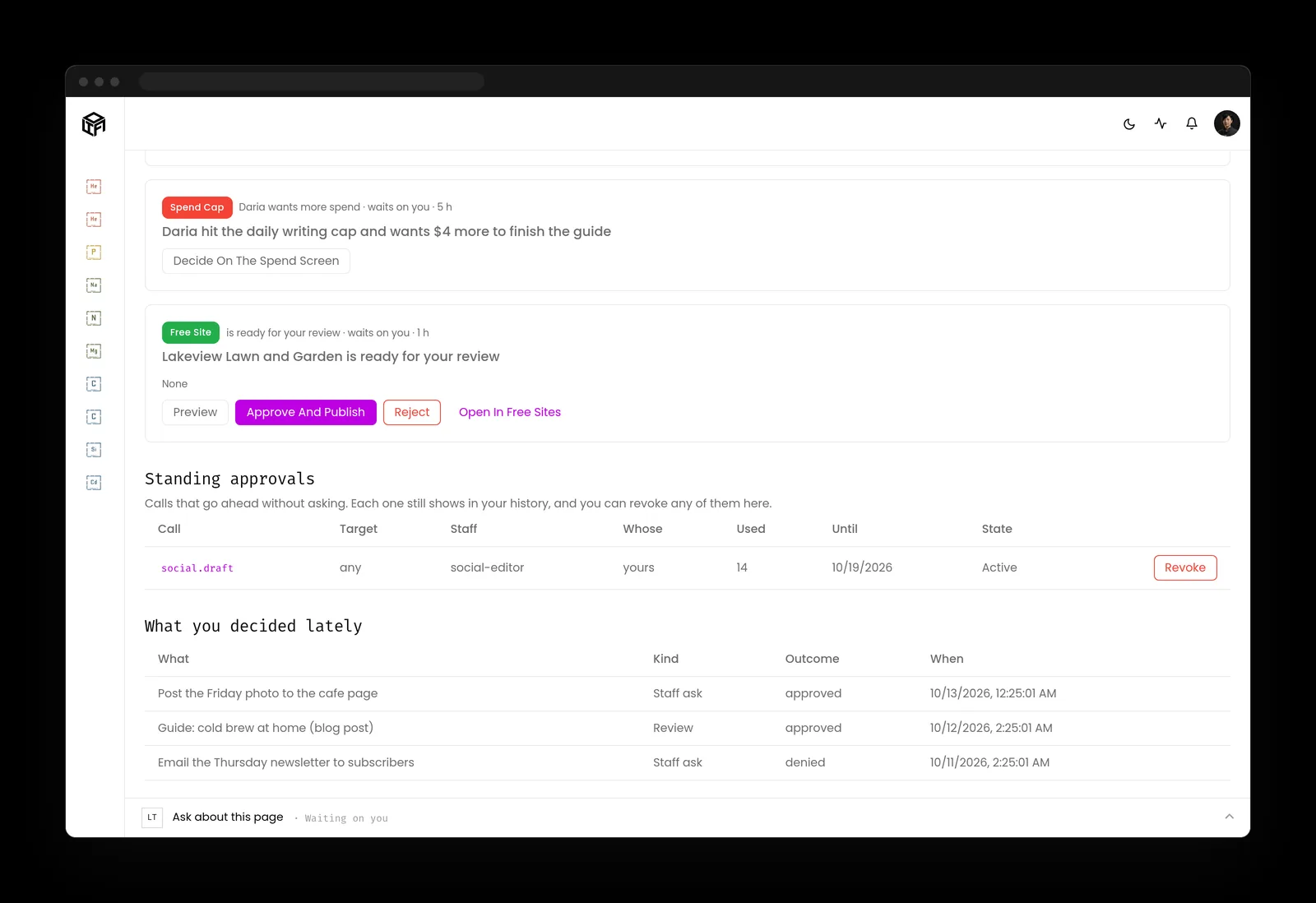
- Anything that spends waits for the person who owns that area. By default, nothing is paid until a person presses Go ahead.
- Money, credentials, permissions and deleting stay with people. An AI teammate can't change them.
- Spend requests land in one queue, Waiting on you, which works on a phone.
- The activity log records every action by the staff and the team, newest first, with who said yes.
What to do before you let AI pay invoices
Two lists: one for the person who owns the business, one for whoever runs its systems.
If you own the business
- Write down who approves payments, and make that the only person who can.
- Tell your team that bank detail changes get a phone call to a known number, every time.
- Ask any vendor that lets AI pay invoices to show you, on screen, where a person approves the payment.
- Set a spending limit above which a second person also approves.
If you handle the books or the systems
- Give the AI read and prepare access only, with no stored bank login or card number.
- Turn on the alerts your bank offers for new payees and bank detail changes.
- Treat every invoice and email the AI reads as untrusted, including attachments.
- Keep a log of every prepared, approved and declined payment, with the approver's name.
Key takeaways
- You can let AI pay invoices up to the last step, and a person should still give the payment approval.
- Changed bank details are the most dangerous request in accounts payable, so confirm every one by phone.
- An invoice can carry instructions meant for the AI, so treat everything it reads as untrusted.
- A clear record of who approved each payment is what you'll need if one goes wrong.
Where this lines up with the standards
The frameworks and rules this page maps to, with the exact item and what it asks of you.
| Framework | Item | What it asks |
|---|---|---|
| Joint agency guidance | Careful adoption of agentic AI services (opens in a new tab) | Require prior human approval for high-impact actions such as payments, and limit each agent to the access its task needs. |
| OWASP Top 10 for LLM Applications | LLM06 Excessive Agency (opens in a new tab) | Keep a person approving high-impact actions instead of giving the AI the power to act alone. |
| OWASP Top 10 for Agentic Applications | ASI02 Tool Misuse and Exploitation (opens in a new tab) | Stop an agent's payment tools from being used in ways the business never intended. |
| FTC Cybersecurity for Small Business | Phishing and business email imposters (opens in a new tab) | Confirm unusual requests by calling a number you know to be correct. |
| Massachusetts | 201 CMR 17.02 and 17.03 (opens in a new tab) | Protect account and card numbers as personal information, and oversee vendors by contract. |